First orders
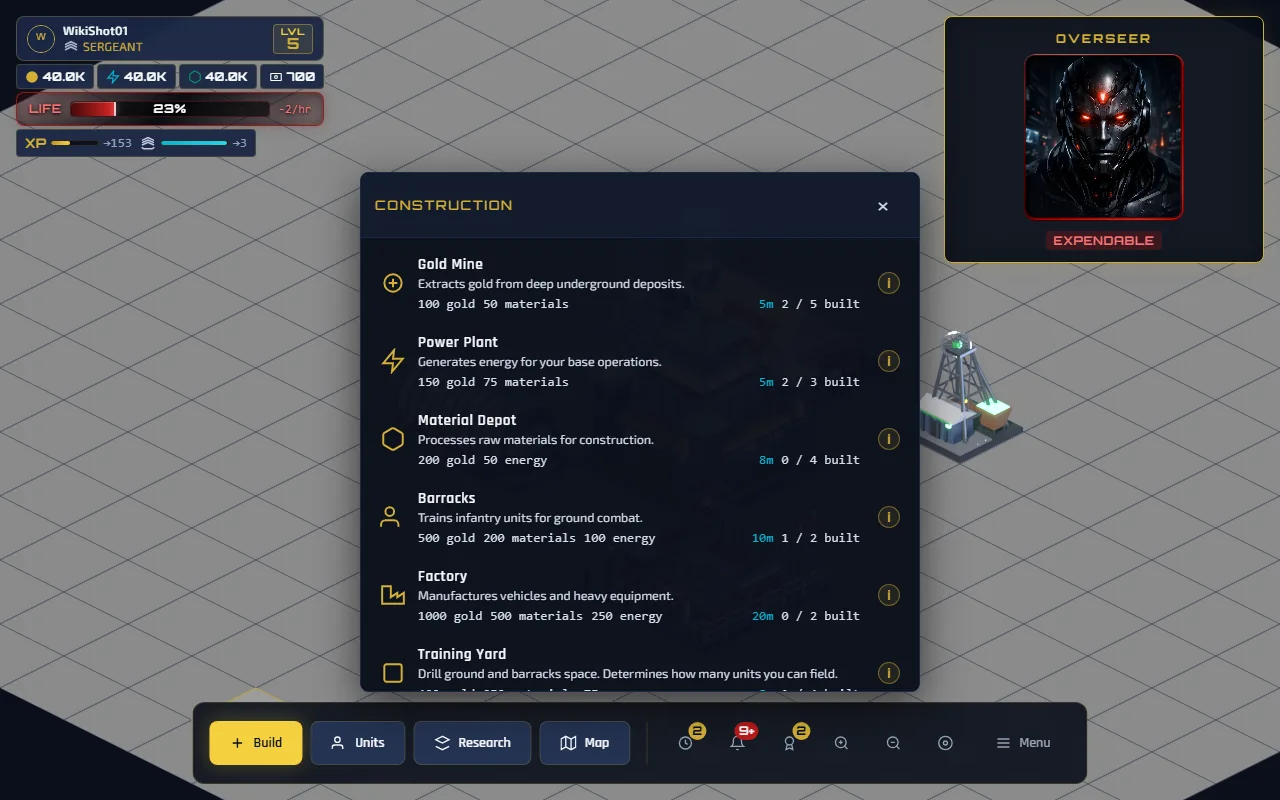
Five objectives stand between a dark base and a place in a Control Sector. They are played in your real base — nothing you build here is thrown away — and they run on a compressed clock, so none of them make you wait.
What you start with
Your Headquarters is placed for you, free, at level 1. Your base's ground is a trefoil of three hexagons — the same three tiles your base will stand on out in the sector. You start at level 1 with the rank of Private and a life bar at 48%.
Of the 560 cells that ground holds, you build on 505. The other 55 run along the joins where the three hexagons meet, and they are reserved for structures the game places itself — your Headquarters is the one that exists today. It stands on the only spot on the whole base that touches all three hexagons at once, which is why it is put there for you rather than left to you.
You cannot build or move a structure onto reserved ground; the attempt is refused and costs you nothing. That is the only placement rule on the base, and it is worth knowing once rather than discovering. Space is still not something you need to plan around — every building in the game, each at its maximum count, uses a small fraction of your 505, and moving one is free and instant. What is scarce is resources, never room.
- Timers are compressed. While the tutorial is running, every construction and every training batch takes 5 seconds instead of its real duration. That applies to anything you build during the tutorial, not just the objectives.
- The clock runs at half speed, not stopped. Life drains at 1% per hour during the tutorial instead of the standard 2%.
The five objectives
Each objective completes the moment you place the structure or order the training — you do not have to wait for it to finish. Rewards are paid immediately.
| # | Objective | What to do | Life | XP |
|---|---|---|---|---|
| 1 | Restore Power | Place a Power Plant | +3% | 25 |
| 2 | Secure Income | Place a Gold Mine | +3% | 50 |
| 3 | Raise a Garrison | Place a Barracks | +4% | 75 |
| 4 | Train Your First Unit | Train one Infantry | +4% | 100 |
| 5 | Survey the Battlefield | Open the World Map | +2% | 125 |
That is +16% life and 375 XP from the objectives themselves. The buildings and the unit pay out again when they finish — see levels and ranks — so a played-through tutorial ends at level 5. That is enough to unlock every building in the game except the Watchtower, which needs level 10, and every unit except the Battle Tank, which needs level 7.
Objective 3 needs a promotion first
The Barracks requires player level 2, and you start at level 1. Objective 2's reward plus the Power Plant finishing is what crosses that threshold, which is why the Overseer announces a promotion before asking for a garrison. If the Barracks is greyed out, the Power Plant has not finished yet — give it five seconds.
The skip button finishes the tutorial but pays only enough XP to reach level 2 — the minimum needed to build a Barracks at all. You keep whatever you legitimately earned and lose the rest, so skipping costs you roughly three levels and a rank. There is no time to save: the tutorial timers are five seconds each.
Choosing a Control Sector
Objective 5 opens the world map, and finishing it offers you a Control Sector. Joining one places your base at a real position in it, alongside up to 1,000 other players. Everything carries over — buildings, resources, units, queues, and anything still under construction.
A sector is not a square. It is a hexagon of 37 hexagonal cells, each holding 721 ground tiles — 26,677 in all — and everything outside that boundary is fog rather than ground.
There is nothing to optimise about where you land: bases are allocated outward from the sector centre, so you get the nearest free plot and that is that. When one sector fills, the next opens automatically. Join and get on with it.
The sector is fogged by level. Below level 10 you can see one cell — your own — and nothing outside it, however much you pan. That is about 17 of the sector's 650 resource deposits, and quite possibly no other players at all. The map is not empty and it is not broken.
One more ring of cells opens every ten levels, so reaching level 10 widens the world more than any other level does. Set out in full on expeditions.
A sector position is what makes expeditions possible, and expeditions are worth many hours of mine output per trip. Getting into a sector is the single biggest jump in income in the game.
Your first hour, in order
- Finish the five objectives Five seconds each. Do not wander off and spend gold in between.
- Keep 50 gold for the Infantry Objective 4 costs 50 gold. It is easy to spend your purse on a second Gold Mine and then be unable to complete the tutorial without waiting for production to catch up.
- Join the sector Immediately, as soon as it is offered.
- Build economy, in this order Gold Mines first (cheapest income, and gold is the bottleneck), then a Material Depot, then a Power Plant. See resources for the payback maths.
- Start a research project You can only run one at a time, so something should always be running. Modular Scaffolding or Deep Core Drilling at 5 minutes each are the cheapest openers.
- Build a Training Yard, then troops A Barracks houses only 5 units. A Training Yard houses 15 and is the only way to field a party big enough to make expeditions pay.
- Send your first expedition Open the Map, tap a deposit, add units, send. Read expeditions before you pick a target.
Things that catch people out
- Production is credited when you look. Nothing is lost while you are offline — your balance is brought up to date the moment you load the game.
- Cancelling refunds half. A construction, training batch or research project cancelled in progress returns 50% of what it cost. There is no way to demolish a finished building for a refund. (The one exception is a vehicle order, which returns the troops and none of the resources — but that is a long way past your first hour.)
- Moving a building is free and instant. Layout is not a commitment — only completed structures can move.
- Orders complete on a five-second sweep. A timer that has just hit zero may take a few seconds to show up as finished.